Click here
Click into the above link to find our institute’s CEP portal
Step 2
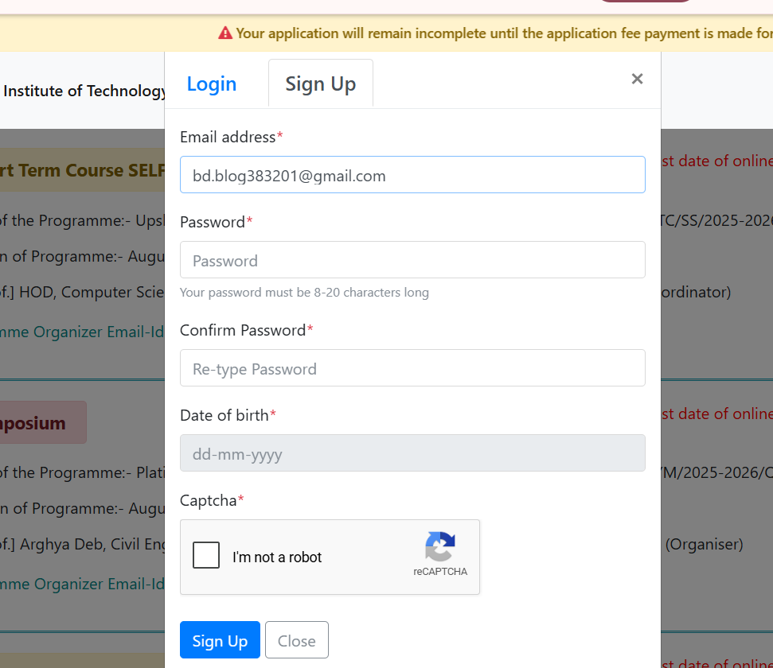
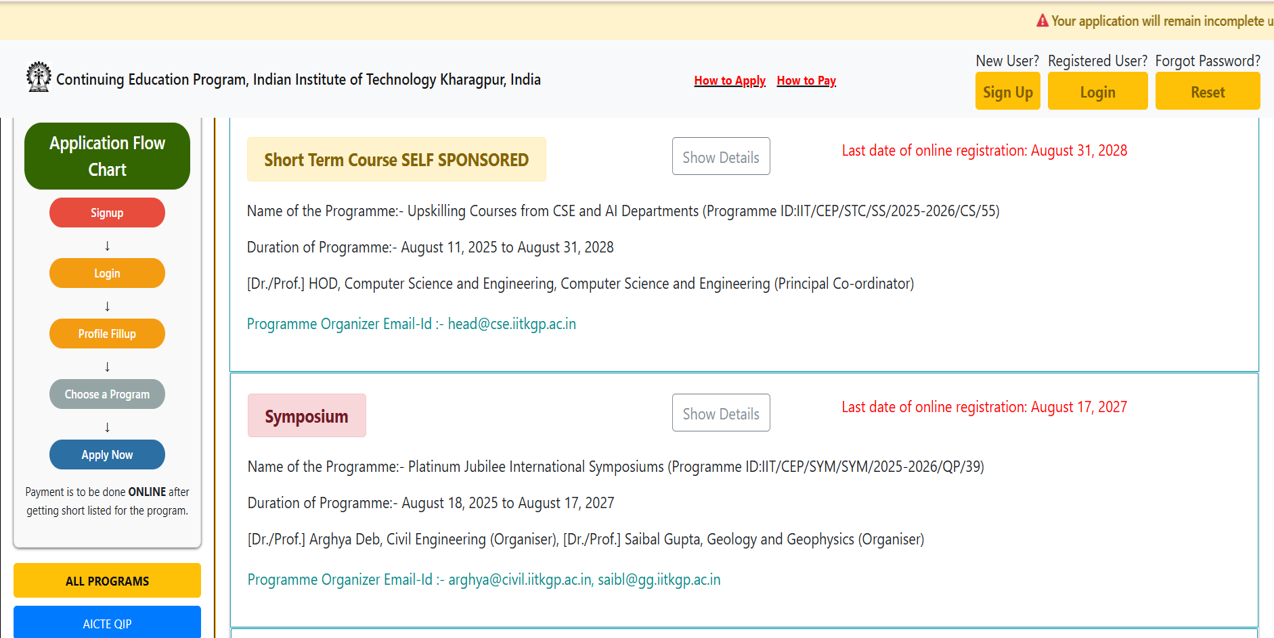
Click the
SIGNUP
to make your account
Step 3
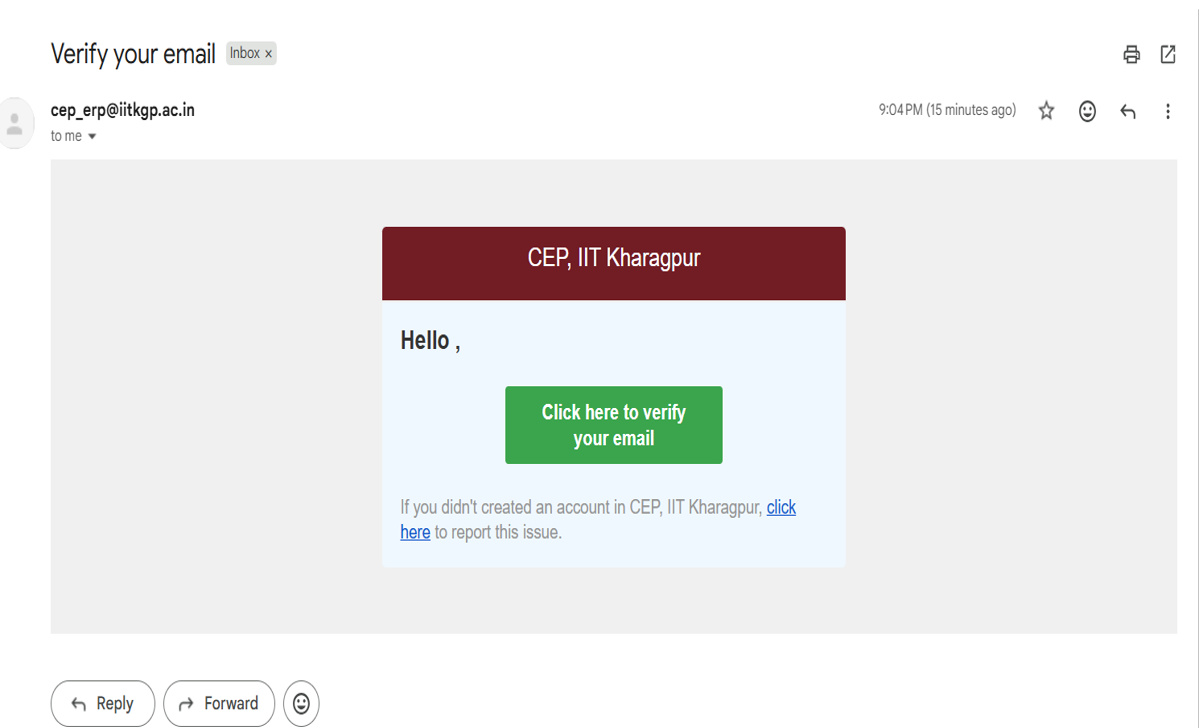
A
verification email
will come up in your inbox, from where you can further proceed
for the registration.
Step 4
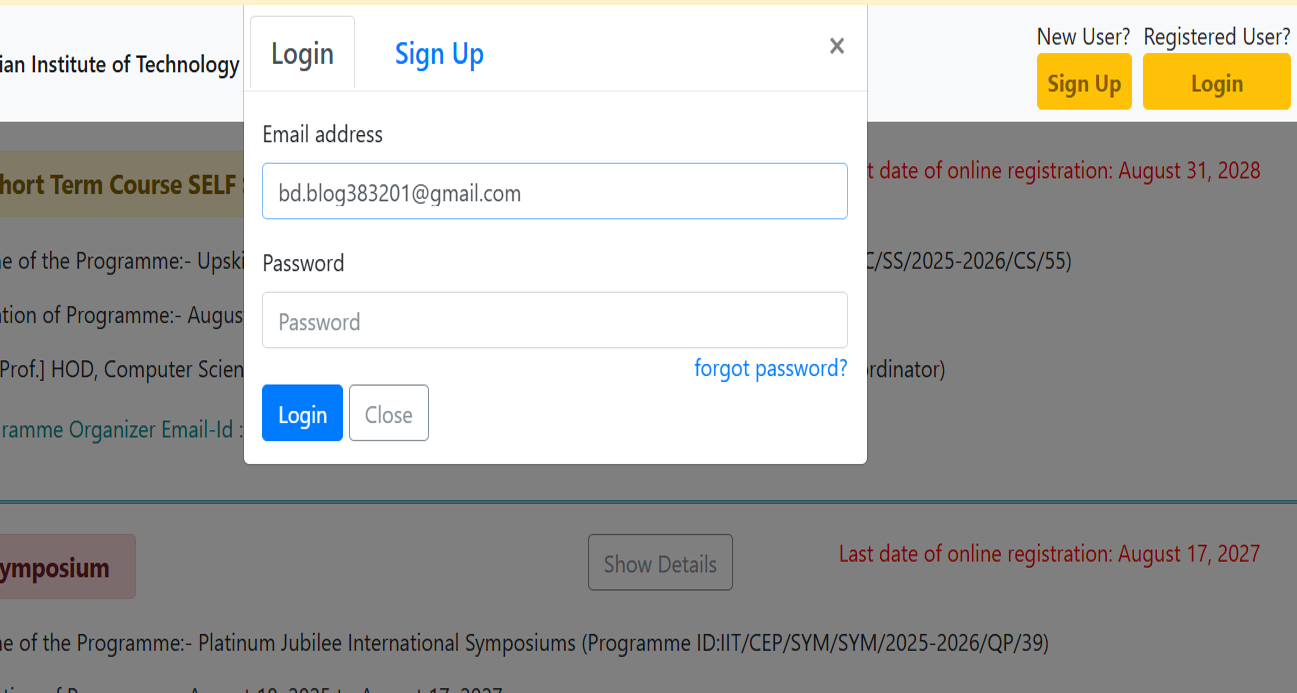
You will be redirected back to the home page of the CEP portal,
LOGIN
with the credentials with which you signed up.
Step 5
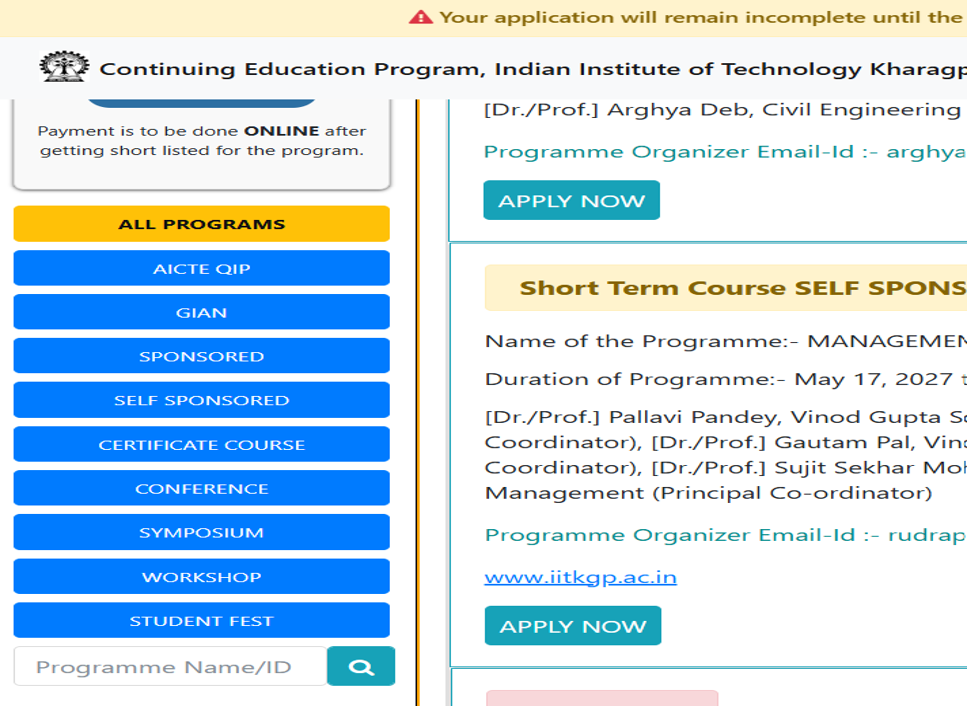
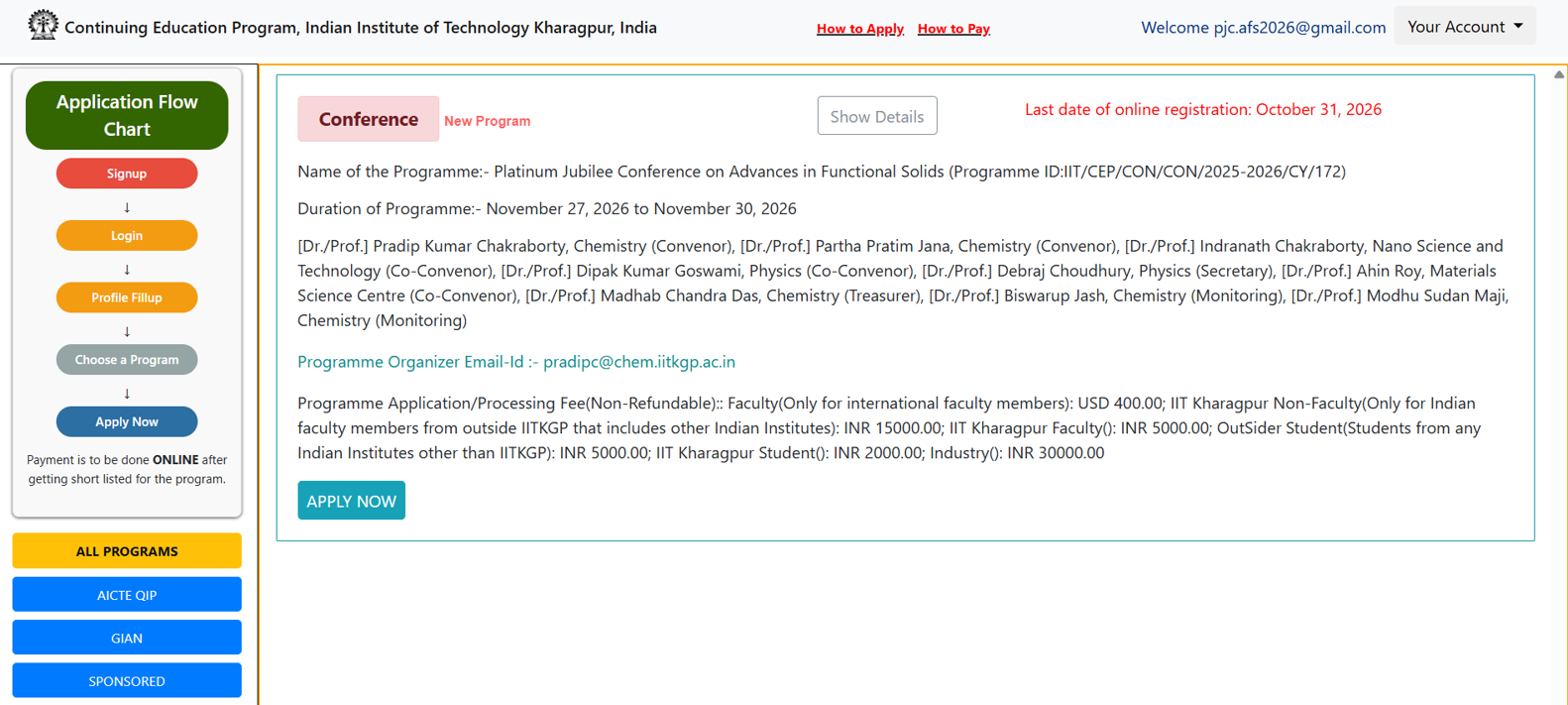
For convenience, you can type in the search
172,
and the conference (AFS 2026) programme will be displayed.
Step 6
Once the conference flashes, you can click into
APPLY NOW,
and fill in all the registration details and then click
SUBMIT.
Step 7
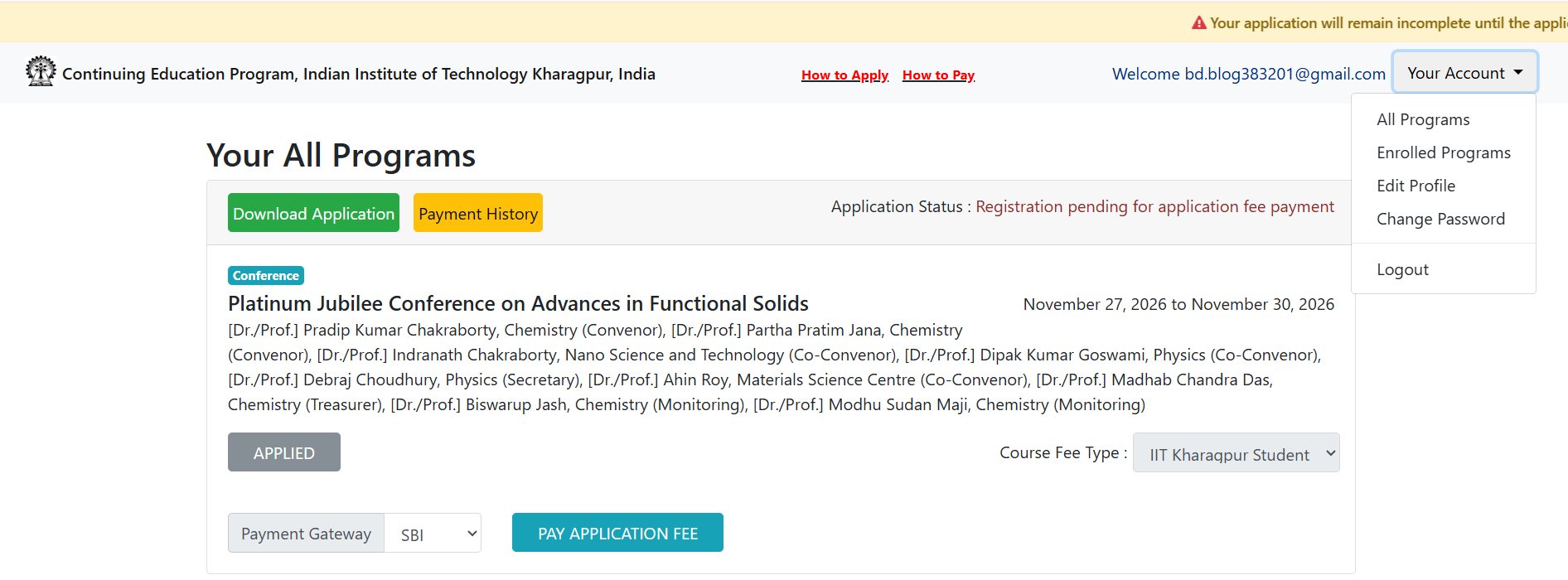
Once submitted, you will be enrolled in the programme.
RE-LOGIN
and then click ENROLLED PROGRAMS from the top right corner bar,
you can see your status as applied and then accordingly pay the
APPLICATION FEE.